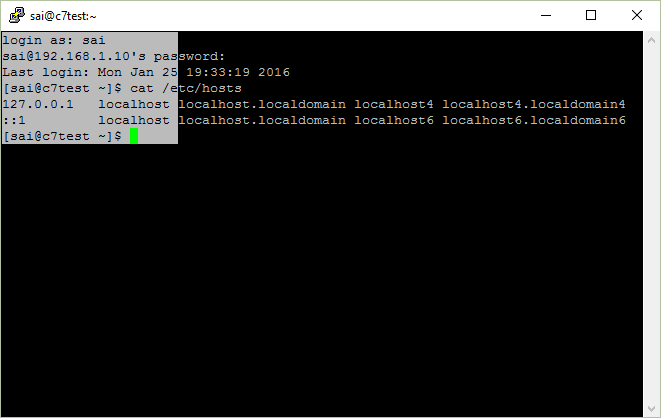
In PuTTY, left-click and drag normally selects and copies the entire line content. However, you can change this behaviour to block select like in a MS DOS window.
To make a block select in PuTTY, click and hold “ALT” and then left-click and drag on your mouse. This will make block selection.
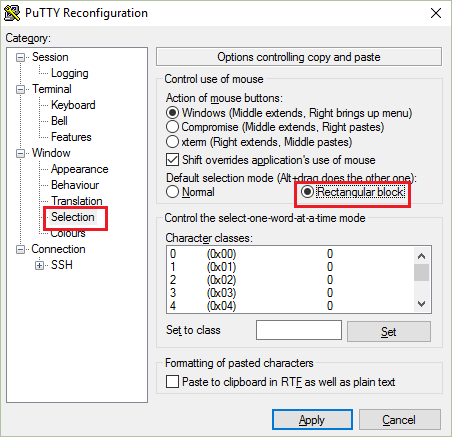
If you want to make this the default behaviour,
- Load a saved session or load “Default Settings”.
- In the left pane, click Window – Selection.
- In the right pane, select “Rectangular Block” under Default Selection mode.
- Click Sessions and save the loaded session.
- Repeat the above for every saved session.
Leave a Reply